Skip to content
ClipRecast
Public examples Demo How it works Pricing Guides FAQ
ES
More languages
日本語 Deutsch Português Bahasa Indonesia 한국어 Français
Start a project Back to ClipRecast

Small paid beta for ecommerce and App teams

Make ads from proof, not prompts.

Upload real product images or App screens. Review three creative directions, approve one paid result at a time, and reuse the strongest output in the next batch.

Start a US$9 proof ↗ See an actual result ↓
  • Real product or App proof
  • Clear quote before every paid result
  • Eligible processing failures are refunded
cliprecast / result 01 ready
Completed campaign video Product, talent, three planned shots, and final edit
01 approved product 03 directed shots 12s final video
Actual campaign delivery Not a UI mockup
One price before production Approve before credits are reserved

One campaign, from assets to delivery

One product—ready campaign.

This real project starts with approved product and talent assets, moves through a three-shot direction, and ends with one review-ready vertical video—not an isolated effect demo.

01

Product

Approved product reference
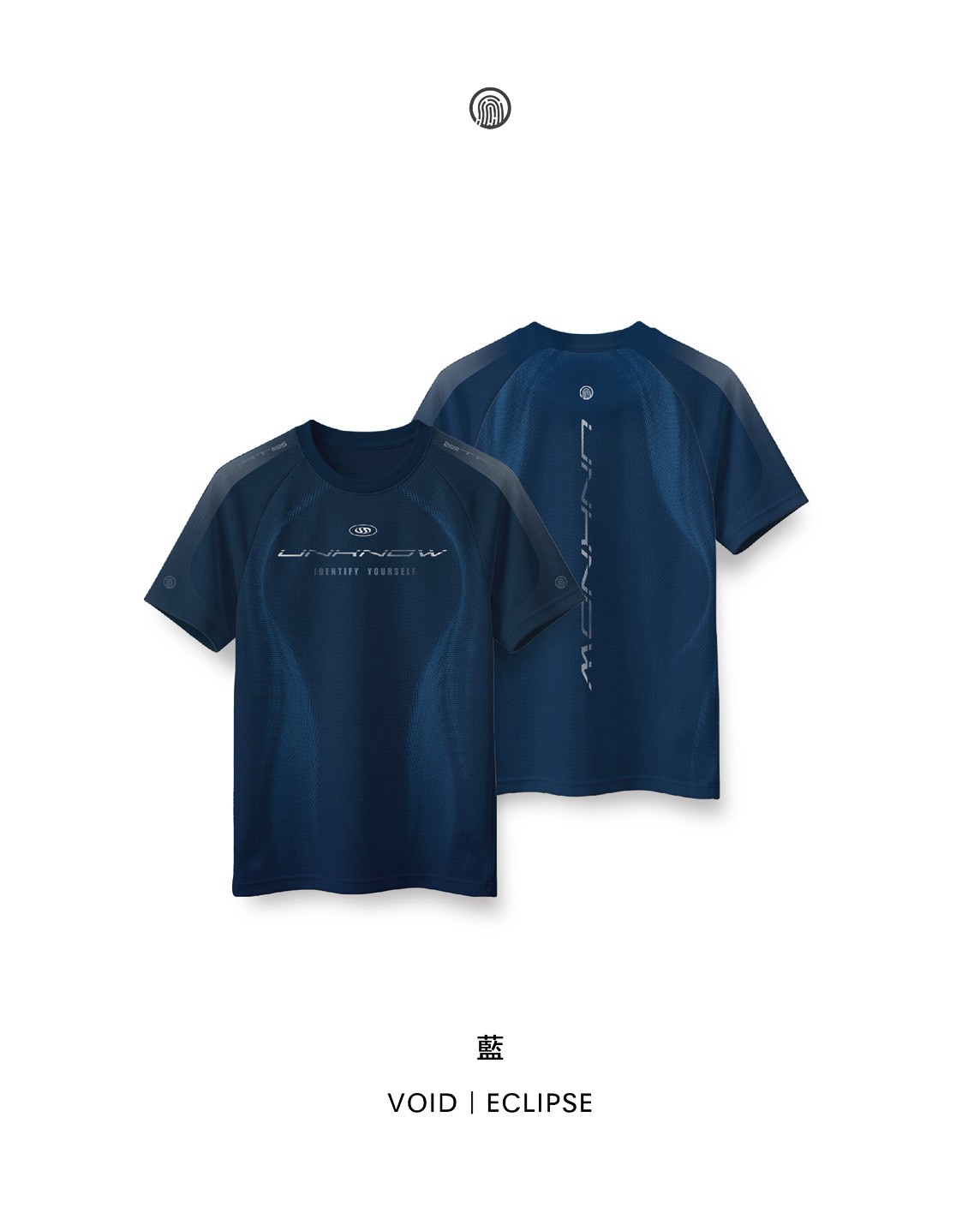
Approved navy sportswear product reference
02

Talent

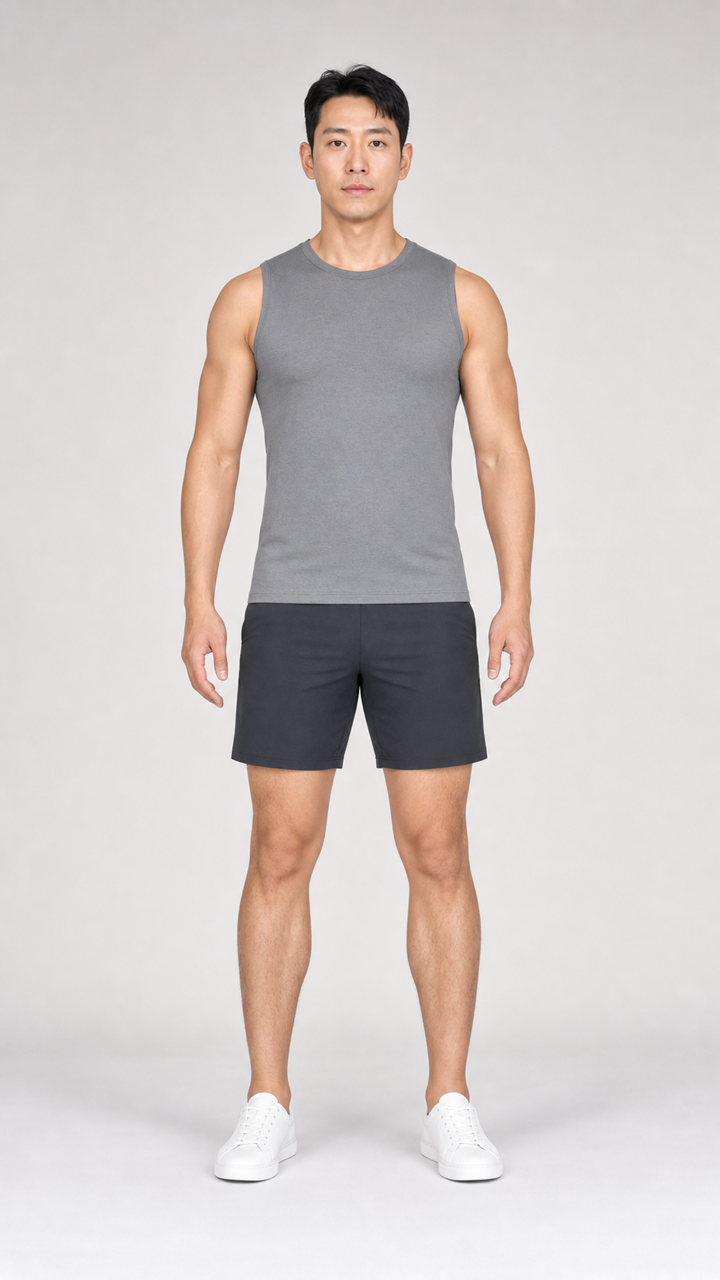
Reusable fictional model
Reusable fictional male model
03

Direction

Approved look and three-shot plan
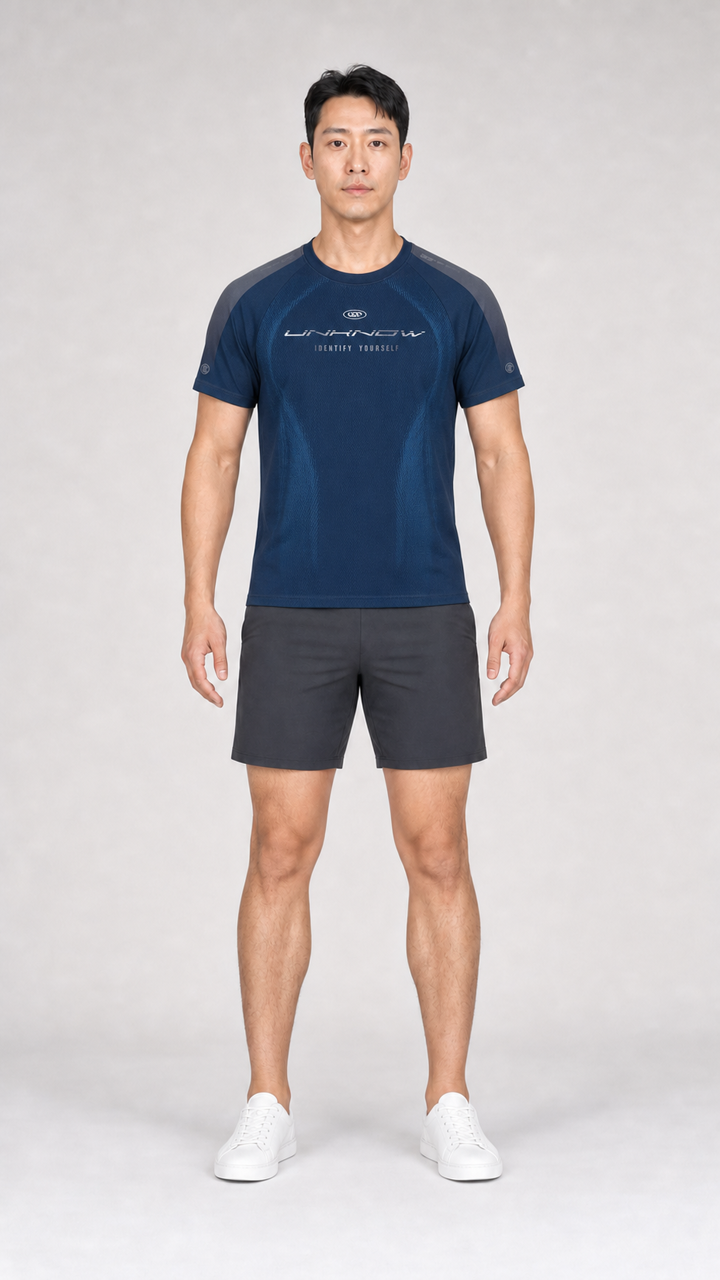
Approved sportswear look on selected fictional talent
  1. 01Hook · establish the product
  2. 02Action · show movement and fit
  3. 03CTA · finish with the product
04

Delivery

12-second vertical campaign video
1 product reference 1 reusable talent 3 directed shots 1 delivered vertical video

This is a real production example. It demonstrates the workflow and delivery quality; advertising performance still depends on the offer, audience, distribution, and measurement.

Technical proof

Character replacement benchmark

For teams reusing existing footage, this separate three-second test shows the original movement and the delivered character replacement side by side.

Approved source video Original movement and scene
Delivered version ClipRecast result · Original brand talent

Demo motion source: “Fit walking” by Msrmesa, licensed under CC BY-SA 3.0. Character is synthetic. Output generated through a commercial video-production service and shown as a before-and-after example; the media file has no embedded watermark. Read the full case study → · Read the product image to video workflow →

From real proof to the next test

Choose an outcome, then build from evidence.

  1. 01

    Choose one outcome

    Start with Sell a product or Promote an App. Existing-footage remix stays available as an advanced reuse workflow.

  2. 02

    Add the proof customers should see

    Upload the exact product or real App screens. Add approved talent or footage only when the creative direction needs it.

  3. 03

    Review three creative directions

    Compare hook, proof, and CTA before production. Product looks and App claims stay tied to the evidence you supplied.

  4. 04

    Approve one result, then reuse it

    See the exact quote, approve the next paid step, and review the private result before turning a winner into another variation.

Product and App proof Reusable brand assets Separate approval for every order Winner → next variation

Two ways to start

Choose the outcome before the tools.

Product ads and App ads need different proof. Existing-footage remix remains available when you already have material to reuse.

01

Sell a product

Product images → approved look → ad test

Keep the exact product visible, compare three directions, and approve only the look and video result you want to test.

Plan a product campaign
02

Promote an app

Real App screens → hook, proof, and CTA

Bind each promise to real UI, compare three ad directions, and keep the strongest result ready for another variation.

Plan an app campaign
Advanced reuse: remix approved footage Continue from an existing video or delivered output

Inspect cuts, hooks, and reusable motion, then make another version without treating a score as proof of performance.

Open the reuse workflow

Small paid beta. No monthly commitment.

Buy the next useful result—not a subscription.

Choose a product or App outcome first. Credits stay in the background as production budget, and every paid result is quoted separately.

Launch proof

US$9

900 credits

Start one product or App proof with enough budget for a focused first result.

Start a paid proof ↗

Campaign batch Recommended

US$49

5,200 creditsIncludes 300 volume credits

Three creative directions and a quoted variation batch for one product or App campaign.

Plan one campaign ↗

Studio sprint

US$99

11,000 creditsIncludes 1,100 volume credits

Two creative test cycles and one winner-reuse round for repeat campaign learning.

Plan a studio sprint ↗

Credits are the production budget behind each separately approved result. Studio and the account-only Scale pack unlock after a verified first purchase. Some multi-shot beta deliveries may include a managed handoff; the exact deliverable appears before approval.

Start with one outcome

Build the next useful result.

Use only footage and likenesses you have rights to. Public figures, minors, deceptive impersonation, and political impersonation are blocked.

  1. 1Sign in
  2. 2Start project

ClipRecast workspace

Continue with Google

Keep products, talent, footage, orders, and delivered files under one business account.

Selected workflow Choose after sign-in

Signing in keeps your selected starting point.

Accept the policies to continue with Google.

Maintenance access

Create a brand workspace

Keep each business account's products, people, footage, orders, and credits separate.

At least 12 characters.

Reset password

Enter your account email. If it exists, we will send a time-limited link.

Set a new password

Other signed-in sessions will be revoked.

ClipRecast
Open tools Public examples Guides Help
Owner console

Workspace updates

Recent updates

No workspace updates yet.

— credits
Brand workspace
Choose an outcome Two outcomes. Every delivery stays reusable.
  1. 1Choose an outcome
  2. 2Add approved assets
  3. 3Review the full quote
  4. 4Receive deliverables
Starter balance 100 bonus credits are ready for your first production order

Quotes are always free. A verified first credit purchase activates production, and the 100 bonus credits stay in your balance.

Marketing creative workspace

Turn product or app proof into ad-ready creative.

Choose an outcome, approve one paid step at a time, then reuse the strongest output in the next variation.

Choose an outcome

What do you want to promote?

Start with product images or real App proof. Each approved look, storyboard, and delivery can become the next variation.

Advanced and reusable tools

Reuse approved assets and delivered outputs.

Advanced reuse product

Always-on Shorts

Save one repeatable content program for a product, an App, or an evidence-led publication.

Candidate generation only Every candidate requires human review and manual publishing. Saving this program never schedules a post or spends credits. Supporting stock may be used only outside the core product or App proof.

Saved programs

Your repeatable content systems

Auto Shorts · private beta

Three real App screens in. One finished vertical video out.

ClipRecast turns your product truth and first-party UI into a 15-second App Promo. You confirm one ClipRecast credit price; you never supply API keys or choose a model.

01

Describe the App and its product truth.

ClipRecast uses this brief to write the launch narration and on-screen captions. Standard production is one Traditional Chinese 15-second 9:16 video.

First-party product proof Choose exactly three real App screens

Selection order becomes the visual story: screen 1 introduces the product, screen 2 proves the action, and screen 3 closes the outcome.

0 / 3

No saved App screens yet. Upload three screenshots you own below.

  • Three immutable first-party App screens with retained asset lineage
  • Managed Traditional Chinese narration and embedded captions; no background music
  • If no usable private MP4 is delivered, eligible reserved credits are returned

Input-bound production quote

— credits One charge
15sduration
1private MP4
Describe the video to get a free quote.

Auto Shorts orders

Private videos stay in this workspace.

Orders continue in the background. Completed videos remain private until you download them.

No Auto Shorts orders yet.

Choose the first paid App outcome

How do you want to start this campaign?

Choose only the work you need now. Both routes require real product UI before video production.

ClipRecast does not invent or replace App screens. Real screenshots or recordings are required for production.

App campaign plan

Buy three directions before producing footage.

Turn one truthful product brief into three distinct directions. Choose the strongest plan before supplying real product UI for production.

01

Describe the product and proof.

Use only claims and product moments you can support. The plan will not invent screens, features, metrics, or reviews.

Fixed planning order

15 credits One charge
3distinct directions
9production-ready shots
  • No footage is required to buy the plan.
  • Real product UI is requested only after you choose a direction.
  • If no usable plan is delivered, eligible reserved credits are returned.
Checking your available credits…

Planning orders

Choose a direction, then bring in real UI.

Orders keep processing if you leave this page. A completed plan stays here for production handoff.

No App campaign plans yet.

Product-to-content tool

Turn product images into a reusable look.

Start with the product. Add or generate talent only if needed. ClipRecast quotes the private look first; after approval, continue into video without uploading the same assets again.

Draft
LOOK
Paid result attached

This video order is using this product look.

The accepted product and talent result stays attached while you choose footage, quantity, length, and audio.

Selected product
—
Selected talent
—

Step 1 of 6

Product

Choose the exact product and front or back view for this try-on. The front view is the safe default; uploads do not use credits.

Loading your products…

Campaign brief

Define the business outcome and product facts before the first paid step. This brief is saved with the project.

Upload a product image

Uploads run three at a time. A failed image can be retried without repeating successful uploads. We recommend at least 1024px on the long edge; 2048px is best for product detail.

Step 2 of 6

Talent

Choose private, approved talent. You can also upload a fictional character or a consenting adult.

AI casting advisor

Compare the saved audience and product with approved talent, or receive a complete new-model brief.

Loading your talent…

Upload approved talent

Step 3 of 6

Product look

Turn the selected product and talent into a private reusable try-on image. Review the quote, pay, and wait for the look before choosing footage.

First paid deliverable

Product + talent = one downloadable product look

This payment creates only this private product look. Approve and download it before deciding whether to order video production.

1 private product look Download after approval Reuse in later video orders
PR
Selected product source view —
+
TA
Selected talent —
=
LOOK
Your product look Created after you approve the quote
Choose the next paid outcome

The product look is already a complete deliverable

Download it now, or continue into a separately quoted video order. Choosing a route does not reserve credits.

Self-hosted HyperFrames
Approved front/back looks, exact product proof, then all colors
9:16 · 1080p · 15s · 30fps

Save this route to inspect the exact Shopify family.

9:16 delivery preview

Keep essential text inside the marked safe area. This is a conservative layout guide, not a promise about each platform UI.

Keep key copy here
Creative Blueprint
Review the audience, promise, copy, and scenes
Refresh the quote to see the current credit cost.

Previous product looks

Reuse a result made from this exact product and talent. Reusing it does not generate again or charge credits again.

Product look estimate — credits

No credits are reserved until you confirm the try-on.

Current balance—
After this try-on—
Private product look preview
Original product
Original talent
Generated result
Confirm the product is still accurate
All four checks are required before acceptance. Another creative version is quoted separately.
Report an objective product mismatch

Do not accept the result. Confirmed logo/text, color, cut/fit, or material/detail errors are reviewed for one correction or credit restoration; subjective style preference is quoted as another version.

Request correction review · no new charge

Step 4 of 6

Footage

Choose the approved footage for this first video order. Campaign planning remains available after the product look is prepared.

Loading your approved videos…

+
Planning a three-shot campaign?

After the product look is prepared, you can order a three-concept campaign plan. Every selected shot needs an approved motion clip before video production.

Step 5 of 6

Quote

Your paid product look is ready. This estimate covers only the selected video outputs and optional audio.

Audio choices are included in the estimate; no credits are reserved until you confirm.

Complete project estimate — credits

No credits will be reserved until you confirm.

Current balance —
After this project —

Step 6 of 6

Generate

Your paid product look, footage, and video estimate are ready. Continue to review the final production setup.

This confirmed order Use the paid product look for the first video batch

The estimate above covers 1 video version(s) from the footage you selected.

Campaign add-on Plan a three-shot campaign after the look is ready

Order three campaign concepts, approve one, then assign approved motion to its three shots. This is quoted separately.

This button only opens production setup. Credits are reserved only after you review and approve the final order.

Choose one product to continue.

Selected from Remix Library

Loading the selected Winner…

Confirm once to copy this approved output into your private source library. No generation credits are used yet.

Saved for planning only. ClipRecast does not download social-platform media.

Reference mode Paste a YouTube, TikTok, Reels, or other HTTPS URL.
Usage rights

Choose an H.264 MP4 Or drop a file here. AAC audio or silent, up to 100 MiB.
Usage rights
Preparing upload 0%

Shared workspace

Every input and output stays reusable.

Products, talent, App proof, footage, projects, and delivered files stay connected instead of being trapped in one workflow.

Video projectsStart a campaign, then follow each version from setup through delivery.

Next production

What can your team produce next?

ClipRecast uses your reusable assets and unfinished work to identify the next quotable step. Opening it does not use credits.

Batch production quote Select production-ready campaigns and review one combined credit estimate. Quoting is free.
No projects selected

Combined estimate — credits
Campaigns
—
Video outputs
—

No credits are reserved and no production starts until you confirm a later order.

Order review Ready for final confirmation
Current balance
—
After this order
—

Nothing has been reserved or charged.

No matching projects

Try another project name, clear the status filter, or show archived projects.

No projects yet

Build the campaign first, see the exact quote for free, and approve production only when the order is ready.

  1. 1Build the campaignAdd a product, approved talent, and the footage for the first video order.
  2. 2Review the exact quoteQuoting is free. Nothing is reserved until your team confirms the order.
  3. 3Unlock production onceThe first verified credit purchase enables production; your 100 bonus credits remain available.
Product libraryReuse approved product images and prepared looks across campaigns.
Batch upload products

Select up to 50 product images at once. Each image becomes a private reusable product asset; storage does not use credits.

Uploads run three at a time. A failed image can be retried without repeating successful uploads. We recommend at least 1024px on the long edge; 2048px is best for product detail.

Catalogue production

Create every available front and back view across approved talent.

Each available front/back mockup and talent combination is an independent paid job. Review the exact output count and credit total before production.

0 products selected
Approved talent to test
0 talent selected
Combined estimate — credits

Current balance
—
After this order
—

No saved products yet

Batch upload your catalogue here, or open a video project to save one prepared look.

Talent libraryKeep private, consented, and generated talent ready for the next campaign.
Private AI talent studio

Choose the person. Keep the production frame fixed.

Select the person’s appearance and body presentation while ClipRecast preserves the same canvas, camera, full-body pose, clothing, and studio background.

01Choose identity parameters

Identity and natural body silhouette follow these choices. The full-body pose and production frame remain locked.

02Fine-tune the faceOptional details for a more specific identity
Locked for every candidate
  • Original fictional adult, never a public figure or copied identity
  • Same head-to-toe pose, joint positions, camera, person height, and 1024 × 1536 canvas
  • Same clothing and beige studio; body silhouette and garment fit follow the selected presentation
  • Both hands fully visible, five natural fingers per hand, and skin tone matched to the face
03Choose generation quality

The first click only requests a quote. Credits are used only after a separate confirmation.

Loading standard model…
Standard framePose and framing lockedThis 1024 × 1536 model provides the private pose and framing input; body silhouette follows your selected presentation.
Order summaryFour private candidates
No charge yet
Template
Locked
Quality
Production
Order total
—
Current balance
—
Balance after order
—

Private by defaultCandidates are visible only inside this brand workspace.

Technical delivery protectionIf the candidate pack cannot be delivered technically, reserved credits are restored.

Creating four private candidatesYou can leave this page. The job stays in your workspace and the library updates when it finishes.
Generation historyRecent template-created talent
No saved talent yet

Create fictional talent here with a prompt, or open a project to upload an approved person.

Complete product looksOne product and one talent stay together as one reusable look. Review the latest front and back as full, uncropped views; earlier renders remain in its history.

From approved looks to video production

Prepare several video projects at once.

Review the paid results below, select up to 20, and apply one approved motion to prepare production-ready campaigns. This step does not generate media or use credits.

0 looks selected
Choose one approved motion for this batch

Every selected product look will use this footage. You can adjust individual campaigns later before ordering.

No approved motion is ready yet. Upload footage you control in the video library, then return here.
Confirm every selected result against its original product

The selected looks and motion will become production-ready campaigns, then open the existing batch quote. No credits are reserved in this step.

No try-on results yet

Choose one product and one approved talent, then create the first paid result. After approval it stays here for download and later video campaigns.

App UI libraryKeep real product screens ready for launch videos, feature demos, and the next campaign.
No saved App screens yet

Start an App campaign and add one real screen. It will stay private and reusable here without another upload.

Video libraryChoose approved motion footage or add a new scene for production.
No videos yet

Upload footage you can use, or save a public link as campaign inspiration.

Approved footage and planning referencesReusable videos remain available across every project.
No footage yet

Upload approved footage inside a project, or save a public page as planning inspiration.

Delivery

Delivered videos

Downloads only ready files in the current view. No credits are used.
No delivered videos yet

Approved production orders, previews, and downloadable files will appear here.

Production budget & billingReview your production-credit balance, available packs, purchases, and billing status.
A separate quote for every paid step

ClipRecast shows the complete credit total before reserving any balance.

Payment complete · no media generated yet

Use the credits on your next paid result

Buying credits adds production budget only. Continue a project to review and approve the separate product-look or video quote.

Recommended continuation —

—

Payment history Confirmed credit purchases for this brand workspace.

Use the payment receipt from checkout for bookkeeping. Contact us if you need help with a payment document.

© 2024–2026 Archie Design App LLC
Guides FAQ Terms Privacy Acceptable use Refunds Contact